Automating a Hello Kitty Halloween Inflatable with Home Assistant and Tempest Wind Data
A Hello Kitty Halloween inflatable gives me another reason to use Home Assistant: scheduling an outdoor smart plug and using backyard Tempest wind readings to decide when it should stay deflated.
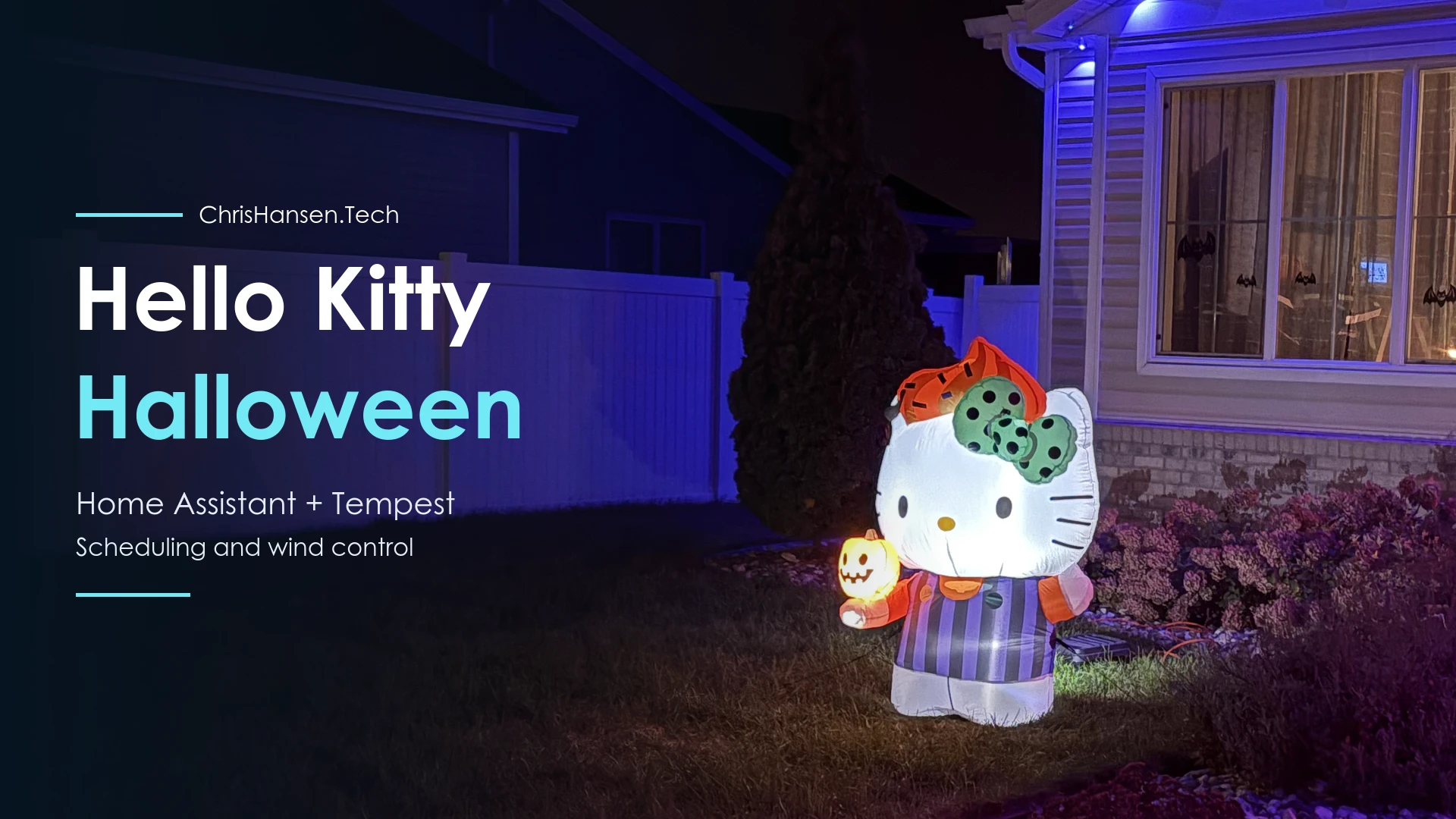
A few weeks ago, my daughter started noticing all the Halloween decorations going up around our neighborhood. She asked if we could get something for our yard next year. I figured that sounded reasonable. We could worry about it when Halloween rolled around again.
Well, apparently next year came a little early.
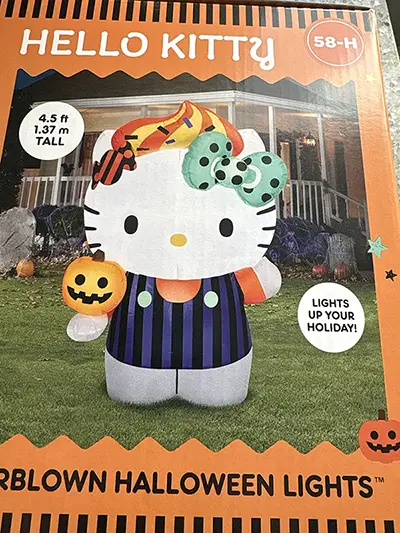
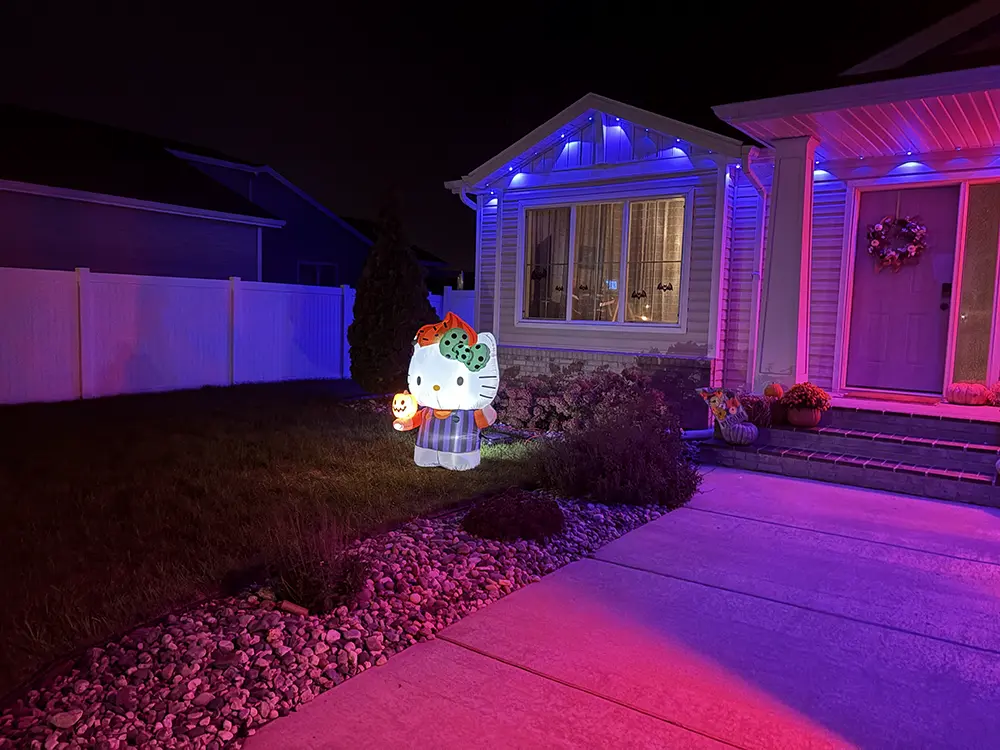
This past weekend, my wife and the girls were visiting her parents while I stayed home to take care of the dogs. I made a trip to Walmart and happened to see their Halloween inflatables. That’s when I spotted a 4.5-foot Hello Kitty inflatable. I knew the girls would love it, so I made an impulse purchase and brought it home.
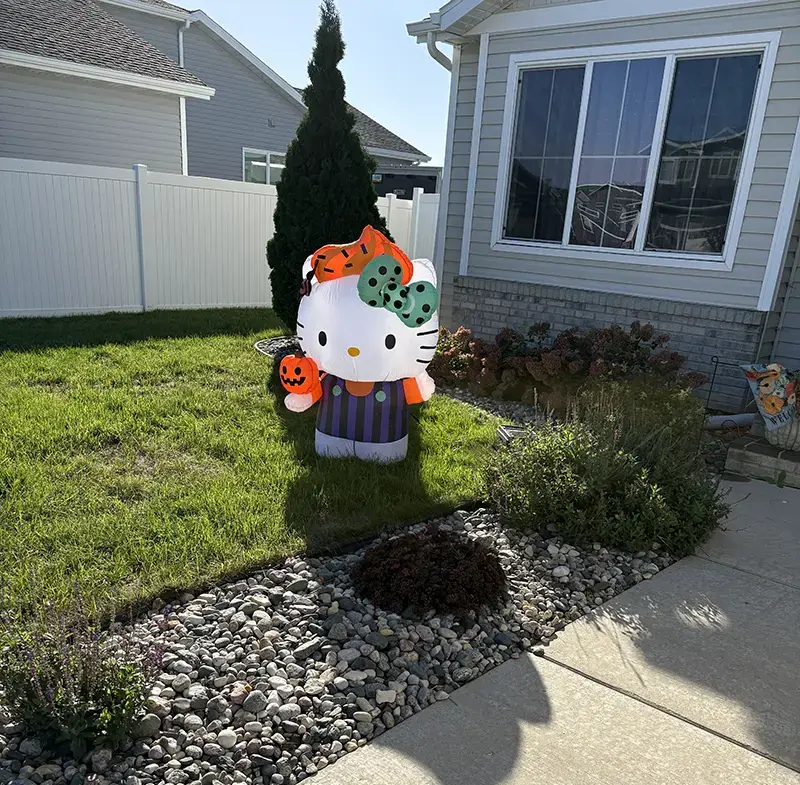
Of course, once I got home, my mind went straight to figuring out how I could automate it.
I didn’t want another thing I had to remember to plug in every day and unplug before bed. And living in North Dakota, there’s another problem to consider: the wind. We can get some pretty strong gusts, and the last thing I wanted was Hello Kitty taking an unplanned trip through the neighborhood.
Fortunately, I already had most of what I needed. I have a Tempest weather station providing real-time weather data to Home Assistant, and an outdoor smart plug could handle turning the inflatable on and off.
The idea was pretty simple: have Hello Kitty turn on and off automatically each day, shut her down when the wind gets too strong, and bring her back to life once things calm down.
Here’s how I put it all together.
What I Used
To control the inflatable, I went with a Tapo Matter Wi-Fi outdoor smart plug. This allows Home Assistant to turn Hello Kitty on and off automatically based on a daily schedule while also keeping an eye on wind gust readings from my Tempest weather station.
I also wanted to make sure everything would hold up to the weather. Since I’m using an extension cord to reach the inflatable, I added a weatherproof electrical connection box where the extension cord connects to the inflatable’s power cord. This helps keep rain and moisture out of the connection. The last thing I wanted was water getting into the connection, tripping the GFCI outlet, and leaving Hello Kitty without power.
Using the Weather Data I Already Have
I previously covered how I brought my backyard Tempest weather station into Home Assistant in Using the Tempest Weather Station in Home Assistant. That post walks through setting up the local WeatherFlow integration, along with the separate cloud integration I use for weather forecasts.
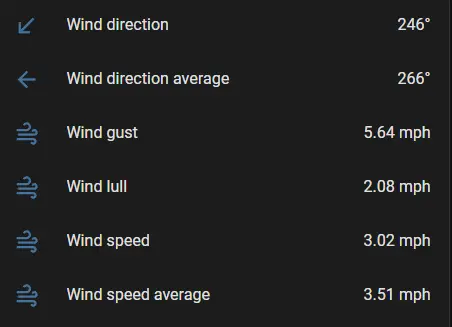
For this project, I’m using the Tempest’s wind gust sensor. According to Home Assistant’s WeatherFlow documentation, this sensor reports the highest three-second wind speed recorded over the past minute. This gives me a way to monitor sudden gusts rather than just looking at the average wind speed.
One thing worth mentioning is where my weather station is located compared to Hello Kitty. My Tempest is mounted about 16 feet above the ground in an open area of my backyard, while Hello Kitty is down near the house, where she’s a little more sheltered from the wind.
That means the wind speed reported by Tempest isn’t necessarily what Hello Kitty is experiencing. I haven’t measured the difference between the two locations, so I’m not going to pretend there’s some exact conversion. However, the readings give me a good indication of when the wind is picking up and it’s probably time for Hello Kitty to take a break.
Putting Hello Kitty on a Schedule
I wanted Hello Kitty to run on a simple daily schedule, turning on in the morning and shutting off at night. Normally, that means running between 7 AM and 9 PM. However, since Halloween is the big night, I extended the schedule until 11 PM on October 31.
Of course, I don’t want her inflating at 7 AM if the wind is already blowing too hard. Instead, the automation starts checking the wind conditions at 7 AM and waits until gusts have remained below 10 mph for 30 minutes before turning on the smart plug.
If it’s too windy in the morning, Hello Kitty stays deflated until conditions improve. Once the wind has been calm for 30 minutes, Home Assistant can turn her on, provided it’s still within the scheduled hours.
At 9 PM, Home Assistant turns off the smart plug unless it’s Halloween. There’s also an 11 PM shutdown that runs every day, making sure Hello Kitty doesn’t stay inflated all night.
One thing to keep in mind if you’re using this automation is that it isn’t limited to October. The Halloween date check only changes the evening shutdown time. The automation itself runs year-round, so you’ll want to disable it when you put your decorations away.
Letting Wind Override the Schedule
The daily schedule was the easy part. Dealing with North Dakota wind turned out to be a little more interesting.
When I first set up the automation, I had Home Assistant shut off Hello Kitty when wind gusts exceeded 20 mph. Once the gusts stayed below 15 mph for 20 minutes, she could inflate again. I figured that would be a reasonable starting point.
Well, October 7 gave me a reason to rethink those settings.
We had a windy day here in West Fargo, and my Tempest recorded a gust of 17.4 mph. When I went outside to check on Hello Kitty, I found her hanging on by the power cord, with only one of her tethers still anchored in the ground. Apparently, she was getting ready to take a trip around the neighborhood.
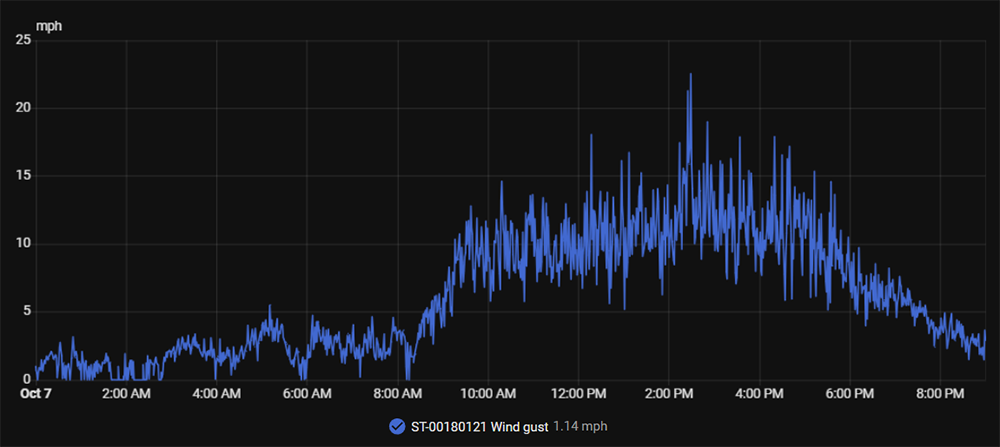
I don’t know exactly how strong the wind was when the anchors came loose. As I mentioned earlier, my Tempest is mounted higher up in a more open area, while Hello Kitty is somewhat sheltered by the house. Either way, it was pretty clear that my original 20 mph cutoff wasn’t going to work.
After getting her back in place, I decided to be a little more conservative with the automation.
I lowered the shutdown threshold to above 14 mph, and there’s no delay when that happens. As soon as Home Assistant detects a gust above that threshold, it turns off the smart plug so Hello Kitty can deflate.
For her to inflate again, wind gusts need to stay below 10 mph for at least 30 minutes. This gives the wind some time to settle down instead of having Hello Kitty constantly inflating and deflating whenever the gusts change.
The difference between the shutdown and recovery thresholds is intentional. If Hello Kitty is already inflated, she can keep running with gusts between 10 and 14 mph. However, once the wind shuts her down, she won’t inflate again until gusts drop below 10 mph for the full 30 minutes.
Of course, Home Assistant also checks the daily schedule before turning her back on. If the wind finally calms down at midnight, she’s staying deflated until the next scheduled period.
One thing to remember is that these are thresholds I’ve chosen based on my setup and what I’ve experienced so far. They’re not manufacturer-rated safe wind limits for the inflatable, and I may need to adjust them as I see how she handles different weather conditions.
The Full Home Assistant Automation
This is the revised version of my original automation, prepared after the windy-day incident. Replace every sensor.YOUR_TEMPEST_WIND_GUST with your mph gust sensor and every switch.YOUR_INFLATABLE_PLUG with the outlet controlling the inflatable. It does not require helpers.
1
2
3
4
5
6
7
8
9
10
11
12
13
14
15
16
17
18
19
20
21
22
23
24
25
26
27
28
29
30
31
32
33
34
35
36
37
38
39
40
41
42
43
44
45
46
47
48
49
50
51
52
53
54
55
56
57
58
59
60
61
62
63
64
65
66
67
68
69
70
71
72
73
74
75
76
77
78
79
80
81
82
83
84
85
86
87
88
89
90
91
92
93
94
95
96
97
98
99
100
101
102
103
104
105
106
107
108
109
alias: Halloween - Hello Kitty Inflatable
description: >
  Controls the Hello Kitty Halloween inflatable based on schedule and Tempest
  wind gusts. Runs 7 AM–9 PM normally and until 11 PM on Halloween. Shuts down
  above 14 mph gusts. Automatic turn-on requires gusts below 10 mph for
  30 continuous minutes, including morning and Home Assistant startup.
triggers:
  - trigger: time
    at: '07:00:00'
    id: morning_start
  - trigger: time
    at: '21:00:00'
    id: normal_stop
  - trigger: time
    at: '23:00:00'
    id: halloween_stop
  - trigger: numeric_state
    entity_id: sensor.YOUR_TEMPEST_WIND_GUST
    above: 14
    id: high_wind
  - trigger: template
    value_template: >
      {% set gust = states('sensor.YOUR_TEMPEST_WIND_GUST') %}
      {{ is_number(gust) and (gust | float) < 10 }}
    for:
      minutes: 30
    id: wind_safe
  - trigger: homeassistant
    event: start
    id: ha_start
actions:
  - choose:
      - conditions:
          - condition: trigger
            id: high_wind
        sequence:
          - action: switch.turn_off
            target:
              entity_id: switch.YOUR_INFLATABLE_PLUG
      - conditions:
          - condition: trigger
            id: normal_stop
          - condition: template
            value_template: |
              {{ not (now().month == 10 and now().day == 31) }}
        sequence:
          - action: switch.turn_off
            target:
              entity_id: switch.YOUR_INFLATABLE_PLUG
      - conditions:
          - condition: trigger
            id: halloween_stop
        sequence:
          - action: switch.turn_off
            target:
              entity_id: switch.YOUR_INFLATABLE_PLUG
      - conditions:
          - condition: trigger
            id:
              - wind_safe
          - condition: numeric_state
            entity_id: sensor.YOUR_TEMPEST_WIND_GUST
            below: 10
          - condition: template
            value_template: >
              {% set halloween = now().month == 10 and now().day == 31 %} {% set
              cutoff = today_at("23:00") if halloween else today_at("21:00") %}
              {{ now() >= today_at("07:00") and now() < cutoff }}
        sequence:
          - action: switch.turn_on
            target:
              entity_id: switch.YOUR_INFLATABLE_PLUG
      - conditions:
          - condition: trigger
            id:
              - morning_start
              - ha_start
        sequence:
          - action: switch.turn_off
            target:
              entity_id: switch.YOUR_INFLATABLE_PLUG
          - condition: template
            value_template: >
              {% set halloween = now().month == 10 and now().day == 31 %}
              {% set cutoff = today_at("23:00") if halloween else today_at("21:00") %}
              {{ now() >= today_at("07:00") and now() < cutoff }}
          - condition: numeric_state
            entity_id: sensor.YOUR_TEMPEST_WIND_GUST
            below: 10
          - wait_template: >
              {% set gust = states('sensor.YOUR_TEMPEST_WIND_GUST') %}
              {{ not (is_number(gust) and (gust | float) < 10) }}
            timeout:
              minutes: 30
            continue_on_timeout: true
          - condition: template
            value_template: "{{ not wait.completed }}"
          - condition: numeric_state
            entity_id: sensor.YOUR_TEMPEST_WIND_GUST
            below: 10
          - condition: template
            value_template: >
              {% set halloween = now().month == 10 and now().day == 31 %}
              {% set cutoff = today_at("23:00") if halloween else today_at("21:00") %}
              {{ now() >= today_at("07:00") and now() < cutoff }}
          - action: switch.turn_on
            target:
              entity_id: switch.YOUR_INFLATABLE_PLUG
mode: restart
The trigger IDs tell the choose action which branch to run. High wind turns the plug off without a schedule condition, and the evening triggers handle shutdown. The wind_safe template must stay true for 30 minutes: the gust value has to be numeric and below 10 throughout that period. This also allows a valid reading returning after sensor unavailability to begin a new calm period.
Morning start and Home Assistant startup first turn the plug off. If the schedule allows operation and the current gust reading is below 10, they wait up to 30 minutes for a reading that breaks that condition. A timeout means the calm period completed; a gust of 10 or higher, or an unavailable reading, ends the wait without turning on. The gust and schedule are checked again before the turn-on action. If the wind was not calm at startup, the wind_safe trigger handles a later calm period.
mode: restart lets a high-wind or evening-stop trigger interrupt a pending startup wait. If wind_safe interrupts it, that trigger has already required its own 30 continuous calm minutes. Home Assistant documents the wait result and timeout behavior.
One thing to keep in mind is that turning off the smart plug doesn’t necessarily mean the inflatable will deflate exactly where you want it. It’s worth checking that it can deflate without getting tangled in its tethers and inflate again without needing help.
The automation also depends on receiving wind readings from Tempest. If the sensor stops reporting while Hello Kitty is inflated, this setup won’t automatically shut her down. It’s a useful way to automate the decoration, but it’s not a guarantee against wind damage.
Resources in This Post
ChrisHansenTech is a participant in the Amazon Services LLC Associates Program, an affiliate advertising program designed to provide a means for sites to earn advertising fees by advertising and linking to Amazon.com. As an Amazon Associate I earn from qualifying purchases. This post may also contain affiliate links from Tempest Ambassador . As a participant in these programs, I may earn from qualifying purchases, at no additional cost to you.
Hardware
- Hello Kitty Halloween Inflatable — I bought mine at Walmart.
- Tapo Matter Wi-Fi Outdoor smart plug
- Outdoor weatherproof electrical connection box — used to keep the cord connection dry in the rain and help avoid GFCI trips.
- Tempest Weather Station
- Buy direct from Tempest (use coupon code CHT10 at checkout)
- Buy on Amazon
Final Thoughts
What started as an impulse purchase to make my girls happy turned into another fun little Home Assistant project. I already had the Tempest weather station providing the data, so why not put it to work doing something besides telling me how windy it is outside?
Of course, North Dakota weather had to remind me that my first attempt wasn’t quite right. Finding Hello Kitty hanging on by her power cord was a pretty good indication that I needed to rethink my wind thresholds.
I’ve since lowered the shutdown threshold and increased the amount of time the wind needs to stay calm before she inflates again. I’ll continue watching how well these settings work and make adjustments as needed. I also need to make sure those anchors are going to hold!
In the end, it’s one less thing I have to remember to turn on and off every day, and hopefully, Hello Kitty will spend more time making my girls happy than trying to fly around the neighborhood.
Want to share your thoughts or ask a question?
This blog runs on coffee, YAML, and the occasional dad joke.
If you’ve found a post helpful, you can
support my work or
☕ buy me a coffee.
Curious about the gear I use? Check out my smart home and homelab setup.